Checkout Optimization: Fix the Last Mile Before Purchase
By Emma Pugsley, Co-founder ·
Checkout is where intent turns into revenue, and it’s also where a lot of SMB stores lose the sale. Baymard’s research shows that 70.22% of e-commerce shoppers abandon their carts on average, with the biggest avoidable causes being extra costs, slow delivery, trust concerns, forced account creation, and checkout that feels too long or complicated.
This guide focuses on the last mile before purchase: the part of the journey where visitors are already interested, but the checkout flow makes them hesitate. For SMB brands, that means the goal isn’t to add more features; it’s to remove the friction that makes a buyer stop right before paying.
Why checkout matters
Checkout is the final proof of trust. If the customer is already ready to buy, even a small problem can feel bigger than the product itself because it appears at the exact moment of commitment.
That’s why checkout optimization usually pays off faster than broad redesigns. It attacks the place where demand is already warm, so even a modest improvement can move revenue.
1. Make the total cost obvious early
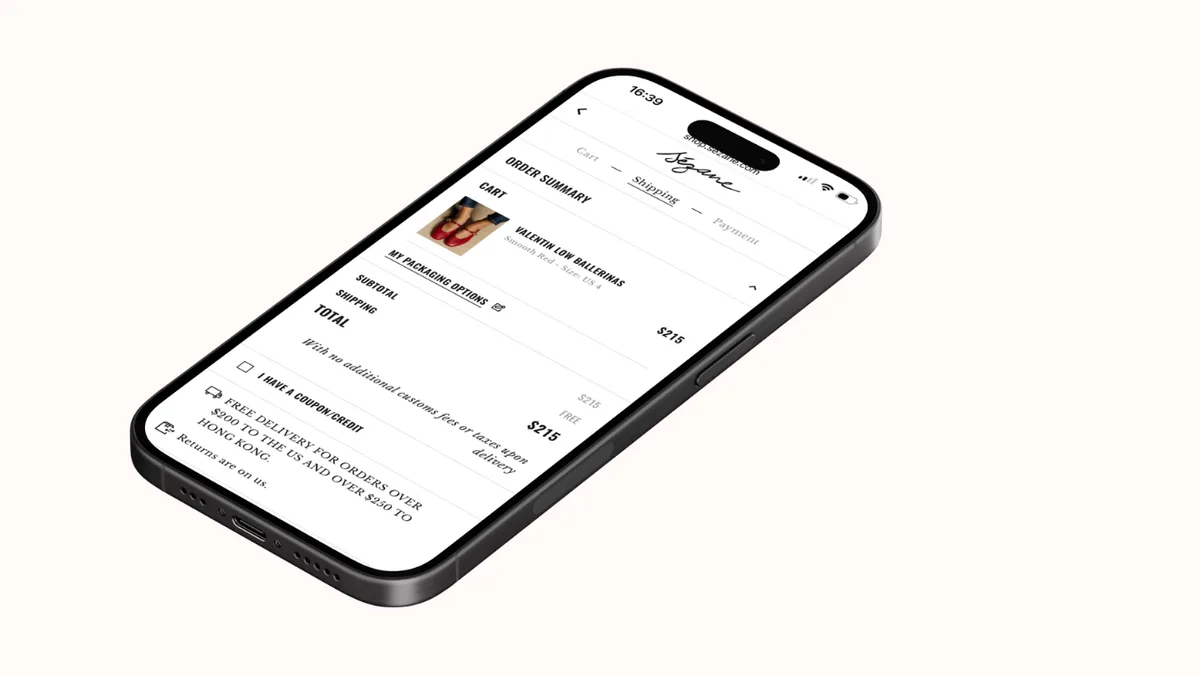
The most common reason shoppers leave is surprise cost. Baymard says 39% abandon because extra costs are too high, which includes shipping, tax, and fees.
If the total only appears at the end, the buyer feels tricked or stalled. That doesn’t just hurt conversion; it weakens trust.
✅ What to do:
- Show shipping expectations before checkout
- Surface tax and fee clues earlier
- Avoid hiding the real total until the final step.
2. Keep delivery simple
Slow delivery is another major blocker. Baymard reports that 21% of shoppers abandon because delivery is too slow.
This doesn’t always mean the delivery itself is slow. Often, the real issue is that the site doesn’t explain shipping timing clearly enough.
✅ What to do:
- State estimated delivery clearly near the product and cart pages
- Keep the shipping language plain
- Don’t bury delivery details in a policy page no one sees.
3. Reduce trust friction
Trust problems still stop a lot of sales. Up to 19% abandon because they don’t trust the site with card information, and the same data shows returns policy and payment concerns also matter.
For SMB stores, trust doesn’t need to be fancy. It just needs to feel solid and visible when the customer is about to pay.
✅ What to do:
- Put reassurance close to the payment step
- Show reviews, guarantees, and support cues near checkout
- Make policy pages easy to find before the final click.
For a broader view of what blocks purchase decisions earlier in the journey, read Original Research: What Stops Visitors from Buying?
4. Don’t force account creation too early
Forced sign-up is still a meaningful blocker. Baymard reports that 19% of abandoned carts come from checkout flows that require account creation.
That’s a lot of friction for something the buyer doesn’t yet want to do. If someone is ready to pay, asking them to create an account first can feel like a detour.
✅ What to do:
- Offer guest checkout
- Let buyers create an account after the purchase
- Keep sign-up optional, not required.
5. Shorten the flow
Checkouts that feel too long or complicated are still a major problem. Baymard says 18% of shoppers abandon for that reason.
Every extra form field, step, click, or decision gives the buyer another chance to leave. That’s why shorter flows often outperform more “complete” ones.
✅ What to do:
- Cut unnecessary fields
- Combine steps when possible
- Make sure progress feels fast and obvious.
6. Support mobile checkout
Mobile makes every checkout issue worse. Small screens amplify the pain of tiny tap targets, awkward layouts, long scrolls, and complex forms.
If the mobile checkout feels harder than on desktop, users won’t stick around and troubleshoot it for you. They’ll just leave.
✅ What to do:
- Test the full checkout on a real phone (not just the website builder)
- Make buttons easy to tap
- Keep forms short and readable on small screens.
7. Offer familiar payment options
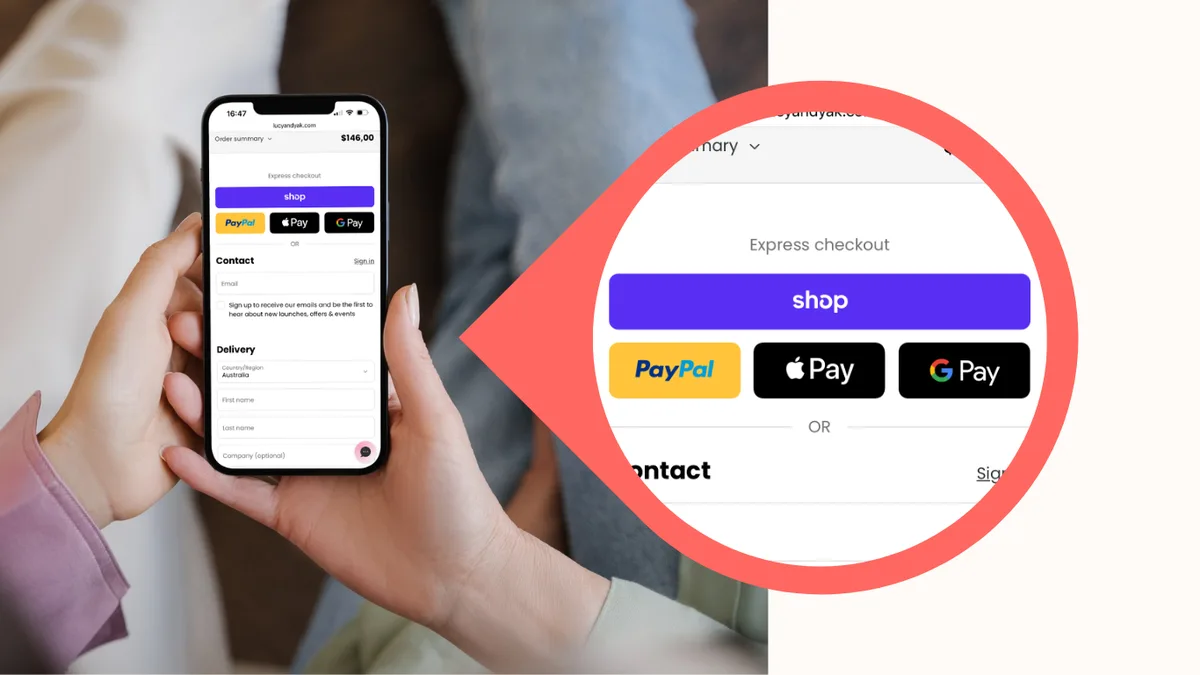
Payment choice still matters. In 2026, 10% of abandoned carts happen because there aren’t enough payment methods.
This doesn’t mean adding every wallet and processor under the sun. It means matching the payment methods your audience expects and making the final step feel familiar.
✅ What to do:
- Review which payment methods your audience actually uses
- Keep the most trusted options visible
- Don’t make the buyer hunt for their preferred way to pay.
8. Prevent technical failures
Some shoppers stop buying because the site simply feels broken. Website errors and crashes are a direct cause of lost sales.
A failed button, a broken form, an image that hasn’t loaded, or a checkout glitch can undo the whole journey in seconds. For SMB teams, technical stability isn’t separate from UX; it’s part of it.
✅ What to do:
- Test checkout across devices and browsers
- Watch for broken scripts or laggy widgets
- Remove anything that risks interrupting payment.
What usually fixes the most
The biggest gains usually come from the smallest number of changes. In most SMB stores, the best order is:
- Show the full cost sooner
- Clarify delivery timing
- Reduce trust friction near payment
- Allow guest checkout
- Cut checkout steps
- Clean up mobile checkout.
That sequence starts with the most common reasons people leave and works down to the technical details that keep the flow smooth.
Final takeaway
Checkout optimization isn’t about polishing the last step for the sake of it. It’s about removing the final blockers that stop a ready buyer from completing the order.
If the store already has traffic, the checkout is often where the easiest revenue is hiding. Make the price clear, keep delivery simple, reduce friction, and don’t ask for more than the buyer wants to give.