
E-commerce Conversion Rate Optimization: A Plain-English Guide
By Emma Pugsley, Co-founder ·
E-commerce conversion rate optimisation is just the work of getting more sales from the traffic you already have. For SMB stores, that usually means fixing the parts of the site that make shoppers hesitate and leave before buying.
This guide keeps it simple. The goal is to show what CRO means in practice, which pages matter most and what to fix first when traffic is coming in, but revenue isn’t keeping up.
What CRO really means
Conversion rate optimization, or CRO, is the process of improving a website so more visitors complete a desired action, like buying a product, starting checkout, or sending an inquiry. In e-commerce, that usually means more orders from the same amount of traffic, not just more traffic.
That matters because many SMB stores already spend on ads, SEO, or social media. If the site leaks sales at the product page, cart, or checkout stage, extra traffic just makes the leak more expensive.
Why small stores need it
Small e-commerce teams usually can’t afford to guess. They need changes that are easy to understand, easy to test, and tied to revenue. The strongest CRO work usually starts with obvious friction points: unclear product pages, weak trust signals, checkout problems, and mobile issues.
That’s also why CRO is such a good fit for SMBs. You don’t need a giant redesign to get value; you often just need to remove the blockers that are already stopping people from buying.
1. Start with the product page
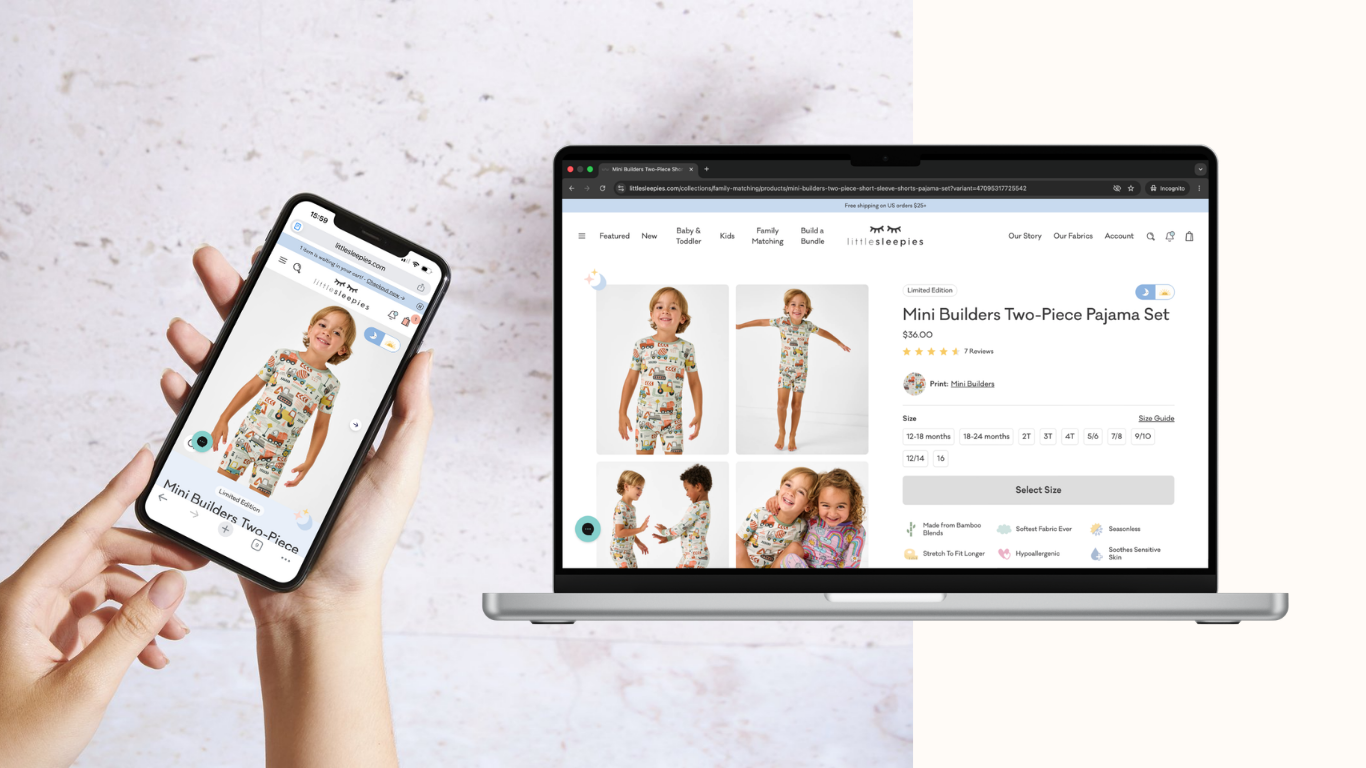
The product page is where buying intent gets tested. If the page doesn’t explain the product clearly, show the right images, answer objections, or make the value easy to grasp, visitors hesitate before they ever reach checkout.
Baymard’s product page research keeps showing how common mediocre mobile product-page UX still is, which means this is one of the easiest places to find conversion leakage.
What to look for:
- Unclear product hierarchy
- Weak or missing images
- Variation details that are hard to understand
- Not enough reassurance near the buy button.
For a deeper breakdown, see Original Research: The Most Common UX Mistakes on SMB Stores
2. Make the offer easier to understand
A good e-commerce page doesn’t just describe the product. It makes the offer feel obvious: what it is, who it’s for, why it matters, and why the customer should act now instead of later.
If the page sounds vague, the shopper has to do the mental work themselves. That extra work is often enough to stop the sale.
What to improve:
- Clear headlines
- Simple copy
- Obvious benefits
- Straightforward calls to action.
3. Fix mobile first

Mobile is where a lot of SMB stores lose easy sales. Baymard’s research and Shopify’s e-commerce guidance both point to mobile friction as a common reason sites underperform.
Tiny tap targets, awkward spacing, long forms, and cluttered layouts all make a page harder to use on a phone. If the mobile version feels harder than the desktop, the store is probably leaving money on the table.
What to check:
- Button size and spacing
- Readability on small screens
- Scrolling length
- Whether the full path to checkout feels smooth on mobile.
4. Build trust before checkout
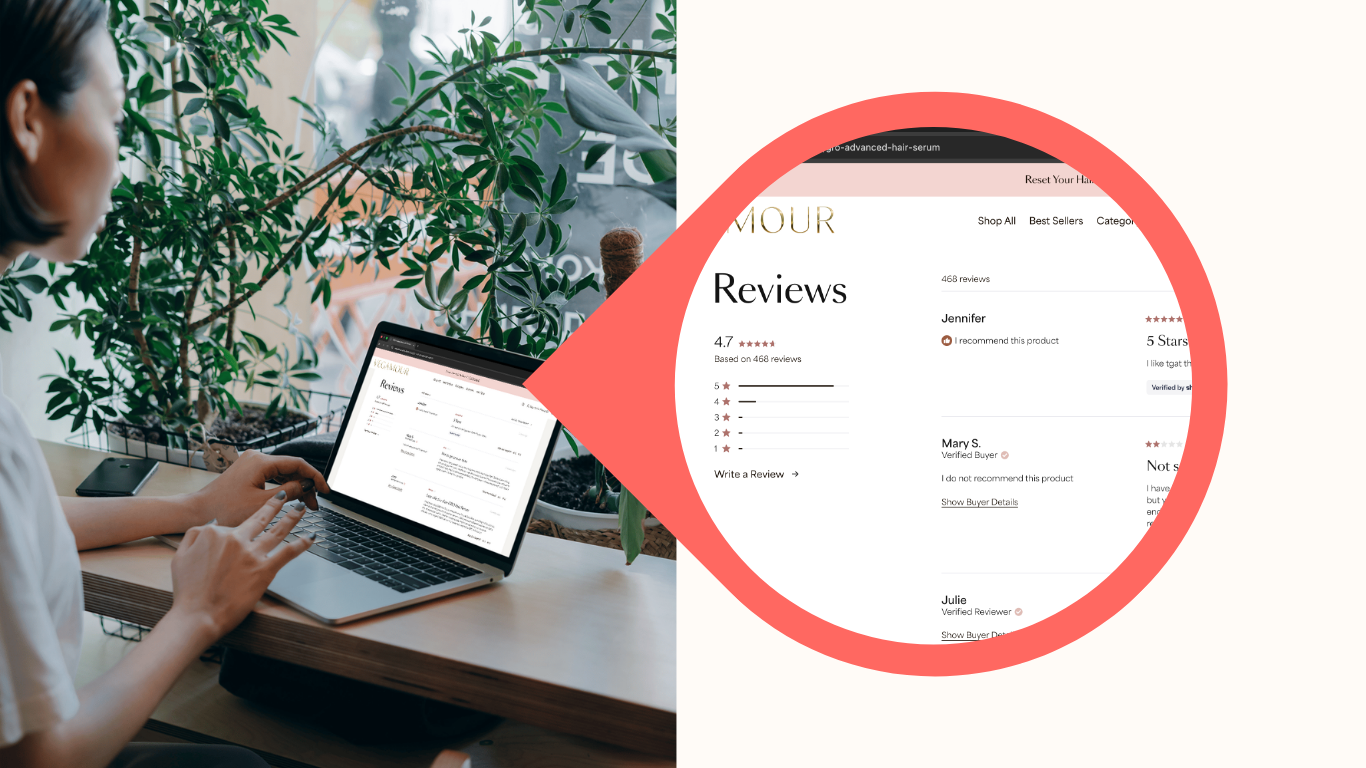
Shoppers need reassurance before they buy. If the site doesn’t feel trustworthy, the visitor may like the product but still hesitate when it’s time to enter card details.
This is where reviews, return policies, delivery info, support cues, and visible brand signals matter. They help reduce doubt at the exact moment the customer is deciding whether to continue.
What to add or strengthen:
- Reviews near the decision point
- Clear returns language
- Delivery expectations
- Support contact options
- Payment reassurance near checkout.
5. Remove checkout friction
Checkout is the last mile before purchase, and it’s where many carts are lost. Baymard’s research shows that extra costs, slow delivery, trust concerns, forced account creation, and long or complicated checkout flows are among the biggest abandonment reasons.
That means a store can do everything right up to the final step and still lose the order because checkout is too hard.
What usually helps most:
- Show total cost earlier
- Allow guest checkout
- Reduce the number of fields
- Keep delivery timing clear
- Offer familiar payment methods.
If you want a deeper look at this stage, read Checkout Optimization: Fix the Last Mile Before Purchase
6. Clean up site structure
Good CRO isn’t only about page-level fixes. If the site structure is messy, shoppers and search engines both have a harder time finding what they need.
That means collections should be logical, internal links should make sense, and supporting content should help people move from curiosity to purchase. Clear structure also helps AI systems understand the site better.
What to improve:
- Navigation that matches how shoppers think
- Internal links from guides to product pages
- Clear category and collection paths
- Fewer dead ends in the buyer journey.
7. Don’t overcomplicate the fix
A lot of stores try to solve CRO with more tools and apps. That usually adds clutter instead of clarity.
The better approach is to identify the biggest blockers first, fix those, then test the next layer. Most of the time, a few simple changes beat a long list of random tweaks.
A practical sequence is:
- Improve the product page
- Make mobile easier
- Strengthen trust
- Simplify checkout
- Clean up the structure.
8. Use audits to find the right starting point
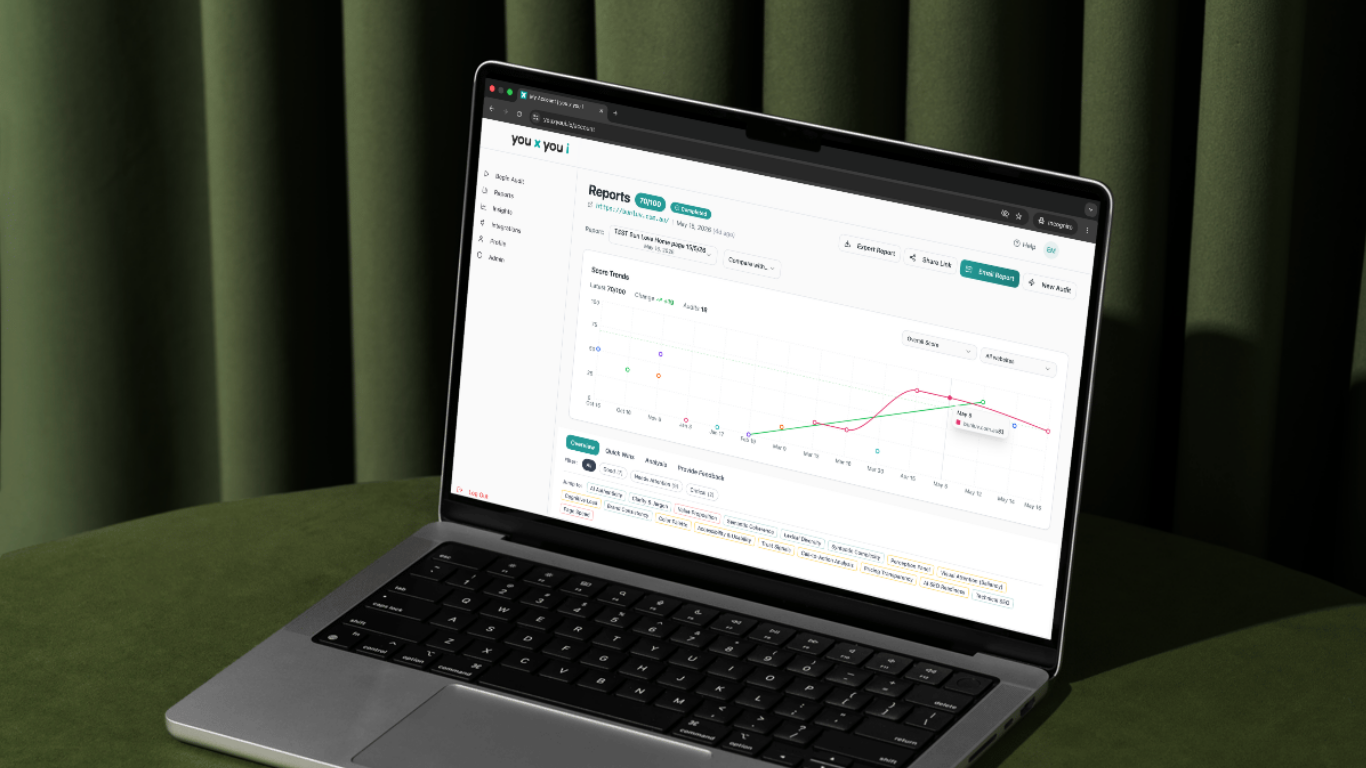
The hardest part of CRO isn’t usually knowing that change is needed. It’s knowing where to start.
That’s why a fast audit can be so useful for SMB stores. It turns scattered symptoms into a prioritised list, so the team can focus on the fixes that are most likely to move sales first.
For you x you i, that’s the point of the audit flow: a plain-English check-up that shows what’s blocking sales and gives a clear next step.
Final takeaway
E-commerce conversion rate optimization is about **making the buying path easier and more trustworthy. **For SMB stores, the biggest wins usually come from fixing product pages, mobile issues, trust signals, checkout friction, and site structure.
If traffic is coming in, but sales are flat, CRO is probably the highest-leverage place to look next.