How to Spot Revenue Leaks on Your Website
By Emma Pugsley, Co-founder ·

Your website looks fine. Traffic is steady. And you’re still leaving money on the table every single day — you just can’t see where.
That’s what a revenue leak is: a point in your site where visitors who intended to buy slip away. Not a crash, not an error — just friction that costs you sales you should have won. The good news is that leaks are findable and fixable, and you don’t need a developer or a big budget to start. Here’s how to spot them.
First, accept that “looks fine” is the trap
Most revenue leaks hide behind a site that looks perfectly professional. The design is clean, the pages load, nothing is obviously broken. So owners assume the problem is traffic — “I just need more visitors.” Usually it isn’t. As Shopify puts it, a leaky funnel means shoppers are dropping off before purchase because of an issue somewhere in the shopping or checkout process. More traffic into a leaky funnel just means you lose more people, faster.
So the first move is to find where the traffic you already have is leaking out.
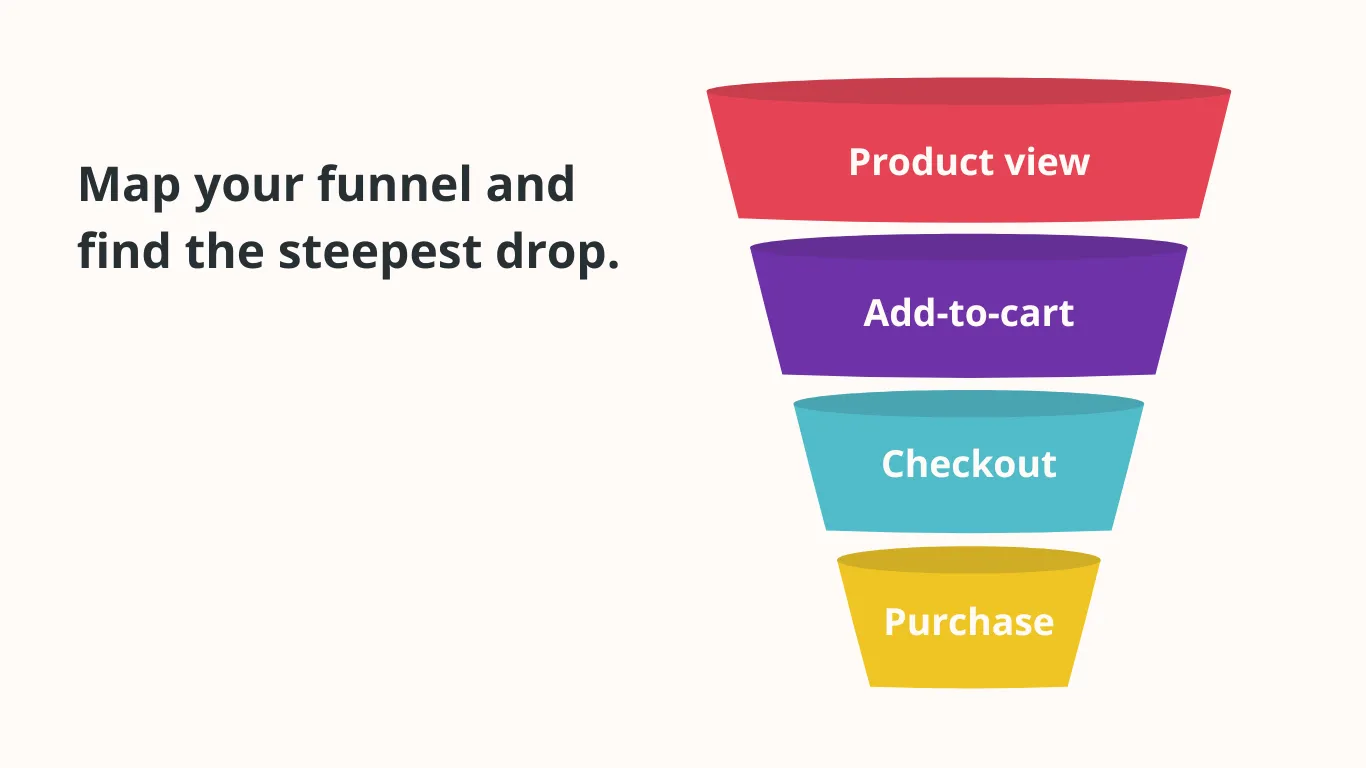
Map your funnel and find the steepest drop
Every store has the same four-stage funnel: visit → product view → add to cart → checkout → purchase. Measure the conversion rate between each step, and the steepest drop is your biggest leak. You don’t need fancy tools — Shopify’s own analytics show you three conversion rates you can read in two minutes:
- Traffic → cart (target roughly 4–8%). Low here means your product pages aren’t convincing people to add to cart
- Cart → checkout. This is the one most people miss — and it’s often the single biggest leak. Analysis of Shopify stores found the biggest drop-off isn’t at checkout itself; it’s cart-to-checkout
- Checkout → purchase. Around 70% of carts are abandoned before checkout completes — a number that’s barely moved in a decade!
Whichever gap is widest against its benchmark — that’s where you start. Fixing your worst step first is always higher-leverage than polishing something that’s already working.
Put a number on each leak.
Here’s the step that turns a vague worry into a priority list: multiply the lost conversions at each stage by your average order value. You can identify revenue leaks yourself by auditing where visitors drop off and multiplying those lost conversions by your average transaction value. Suddenly “some people leave the cart” becomes “we’re losing about $3,200 a month at the cart step” — and now you know exactly what to fix first, and roughly what fixing it is worth.
The leaks that show up again and again
Once you know where the drop is, these are the usual culprits behind it:
On product pages (traffic → cart leaks):
- Weak or missing answers to obvious questions (sizing, shipping, returns) that make shoppers hesitate
- Unclear value — the page doesn’t say quickly why this product, from you, right now
- Slow loading and clumsy mobile layout. Slow pages and an unclear message are two of the most common repeatable leaks on any site.
At the cart and checkout (cart → purchase leaks):
- Surprise costs. Unexpected shipping or fees at the last step are the classic abandonment trigger
- Forced account creation. Making people register before they can pay is a proven leak
- Too many form fields. Forms that ask for too much are a repeat offender
- No cart-recovery follow-up. Cart abandonment above ~65% with weak or no recovery emails is a flagged diagnostic for leaking stores.
Across the whole site:
- Confusing navigation and unclear next steps that leave visitors unsure what to do
- No trust signals (reviews, guarantees, clear contact details) at the moments doubt creeps in
A 20-minute leak check you can run today
You don’t need to boil the ocean. Do this in one sitting:
- Read your three funnel conversion rates in Shopify (or GA4). Note the lowest one against its benchmark
- Put a monetary value on that one gap using your average order value. That’s your priority leak
- Walk that step yourself on your phone. Buy something. Note every moment you hesitate, squint, or get annoyed — each one is a candidate leak
- Check the obvious triggers for that step (surprise costs, forced signup, slow load, missing answers)
- Fix the single highest-value leak first. One fix at the worst step beats ten tweaks at steps that already convert.
Then repeat next month on the next-biggest gap. Plugging leaks is a rhythm, not a one-off.
Why this beats “get more traffic”
Chasing traffic is expensive and slow. Plugging a leak converts visitors you’ve already paid for — so the return is immediate and compounding. A store doing 2% conversion that fixes its worst leak to 2.6% just grew revenue 30% with the same traffic and the same ad spend. That’s the whole argument for auditing before advertising.
The catch is that the most damaging leaks are usually the ones you’ve stopped noticing — because you built the site and your eye glides right over them. That’s exactly what an outside audit is for.
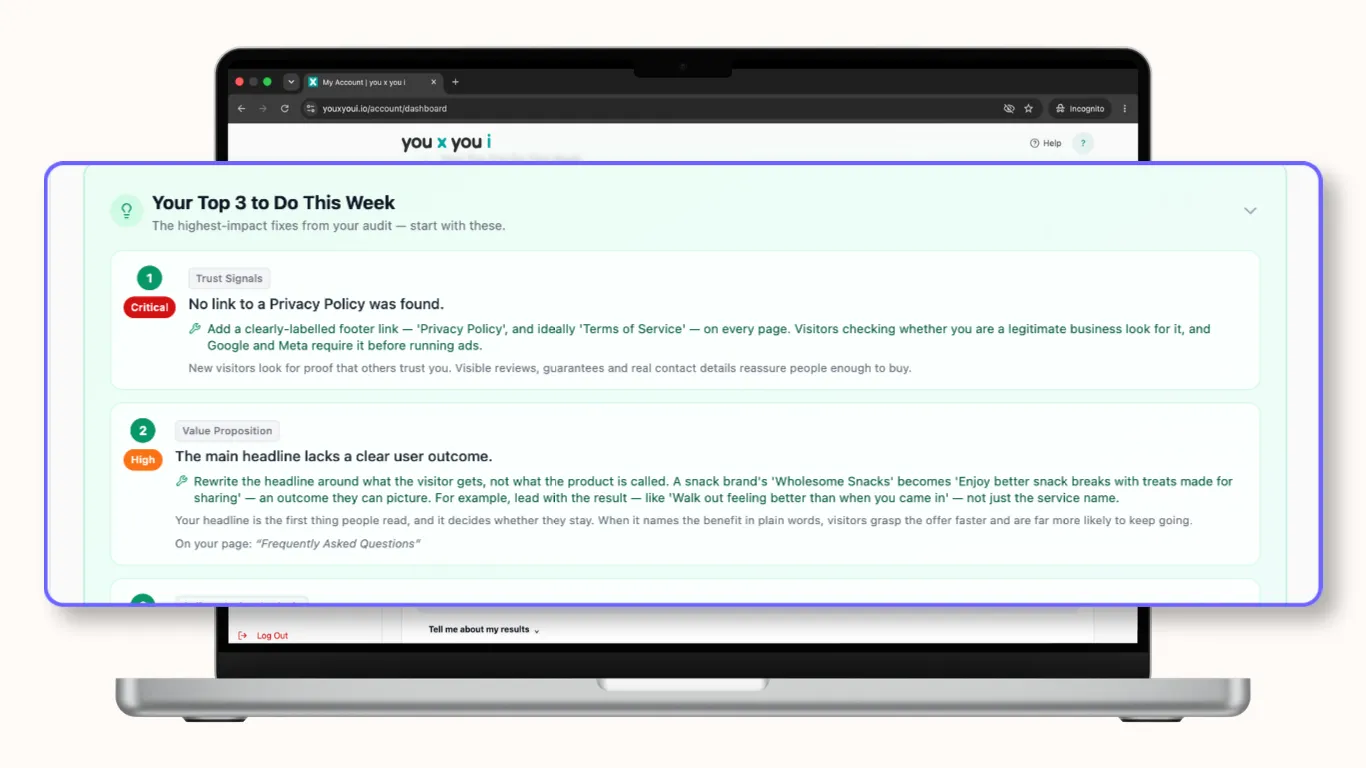
Want the leaks found for you? Start a website audit — we’ll flag exactly where you’re losing sales and put the fixes in priority order so you tackle the highest-value one first.