Cart Abandonment: 9 Common Causes and Fixes
By Emma Pugsley, Co-founder ·
Cart abandonment is frustrating because it usually happens after the hard part is already done. The shopper landed on your site, found the product, showed buying intent, and got close enough to start checkout, but something in the final stretch made them stop.
That’s why cart abandonment matters so much for SMB stores. If traffic is already reaching the cart, the opportunity is real. The job isn’t to create more interest from scratch. It’s to remove the friction that makes a ready buyer hesitate right before payment.
Why cart abandonment happens
Cart abandonment is rarely caused by one dramatic failure. More often, it comes from a mix of smaller issues that stack up at the worst moment: surprise costs, slow delivery, weak trust, too many steps, long mobile forms, or a checkout that feels hard.
Baymard’s research puts the average documented cart abandonment rate at 70.22%, which is a good reminder that this is a widespread conversion problem, not a niche one. For store owners, that means the cart is one of the clearest places to look for revenue that’s already close to landing.
1. Surprise costs show up too late
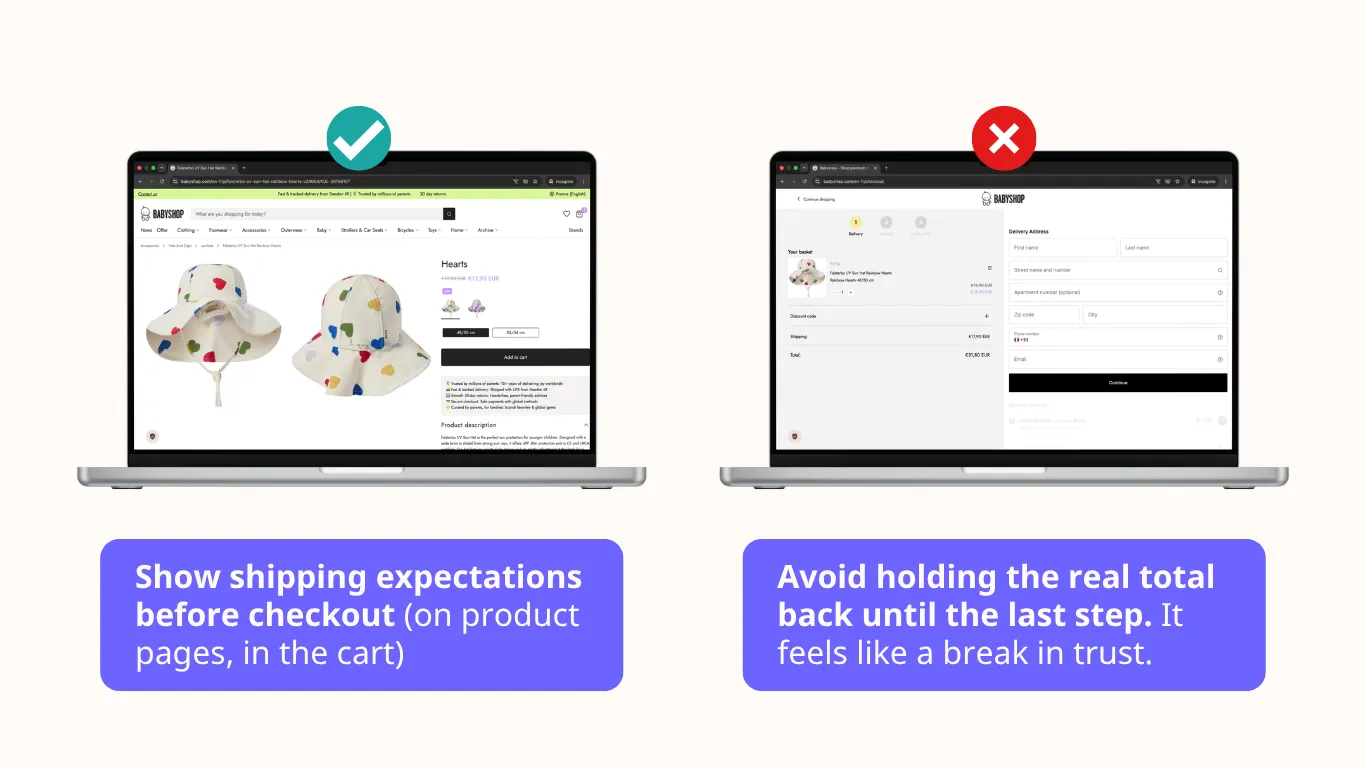
The most common reason people leave is the extra cost appearing too late in the process. Shipping, tax, or fees can make the order feel more expensive than expected, and that moment often feels as much like a trust breach as a price problem.
The fix is straightforward: make the cost picture clearer earlier. Show shipping expectations before checkout, surface likely taxes or fees sooner, and avoid holding the real total back until the last step.
2. Delivery timing feels unclear or too slow
Some shoppers leave because the delivery timeline doesn’t feel good enough. Others leave because the site never explained it clearly, which creates uncertainty that feels almost the same as bad delivery.
Keep delivery messaging plain and visible. If an item will arrive in three to five days, say that clearly near the product and cart pages rather than burying it in a policy page nobody reads.
3. The checkout does not feel trustworthy
Trust becomes more important, not less, at the payment stage. When people are about to hand over card details, vague policies and a lack of reassurance can make the site feel riskier than the product is worth.
That’s why trust cues need to sit close to the moment of payment. Reviews, guarantees, support details, return info, and familiar payment logos all help reduce that final hesitation.
4. Forced account creation gets in the way
Many stores still treat account creation like a required checkpoint. For buyers who just want to complete the order, that can feel like a detour they didn’t agree to.
Guest checkout is usually the cleaner option. Let people create an account after purchase if they want one, but don’t force them to stop and register before they can pay.
5. The flow is too long or too complicated
Long checkouts create too many chances to leave. Every extra field, step, click, and choice gives the buyer another moment to rethink the purchase or put it off until later.
This is why shorter flows often convert better than more feature-heavy ones. Remove non-essential fields and combine steps where possible to make the path feel quick and obvious rather than administrative.
6. Mobile checkout feels harder than desktop
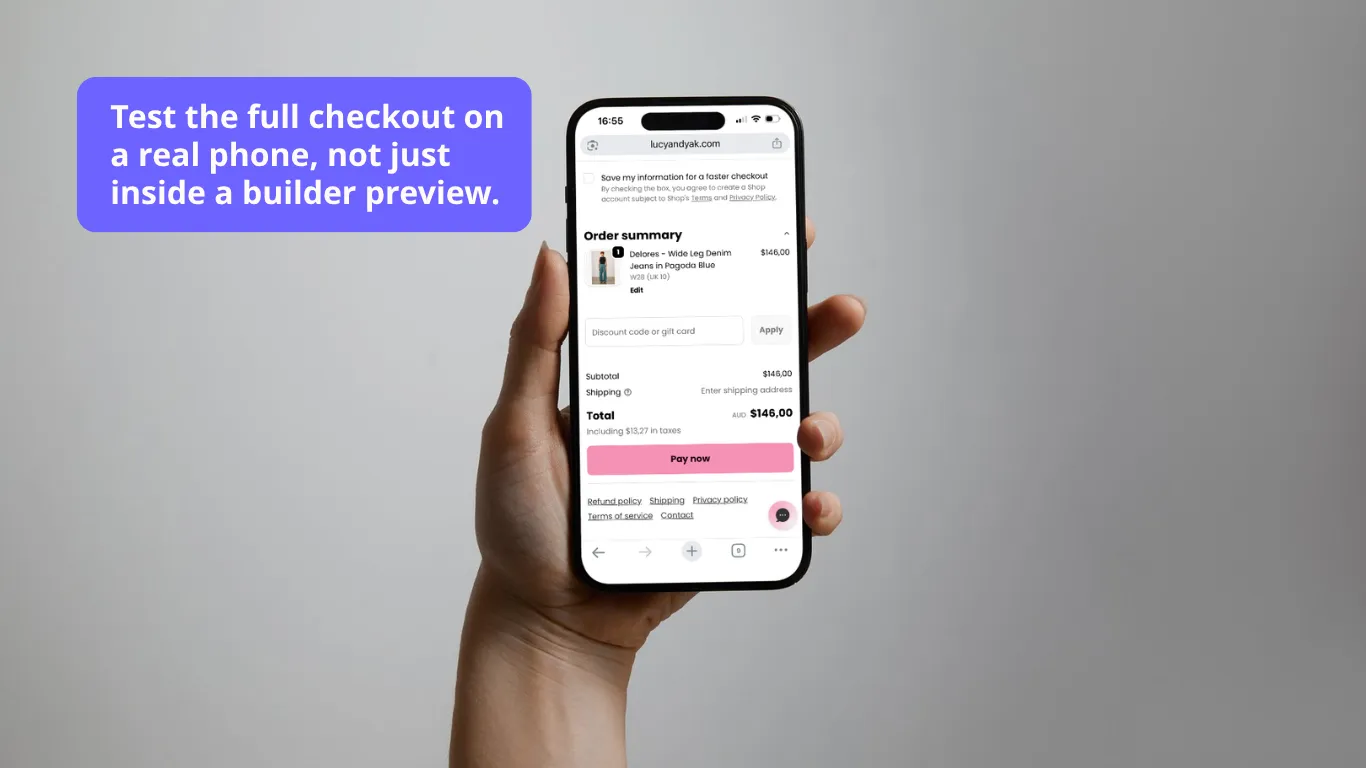
Mobile makes every checkout problem worse. Small tap targets, awkward spacing, long forms, poor autofill behavior, and cramped layouts all create more friction on a phone than they do on a larger screen.
For many stores, this is where easy sales disappear. Test the full checkout on a real phone, not just inside a builder preview, and make sure the buttons, fields, and payment steps feel effortless on a smaller screen.
7. Payment options do not match buyer expectations
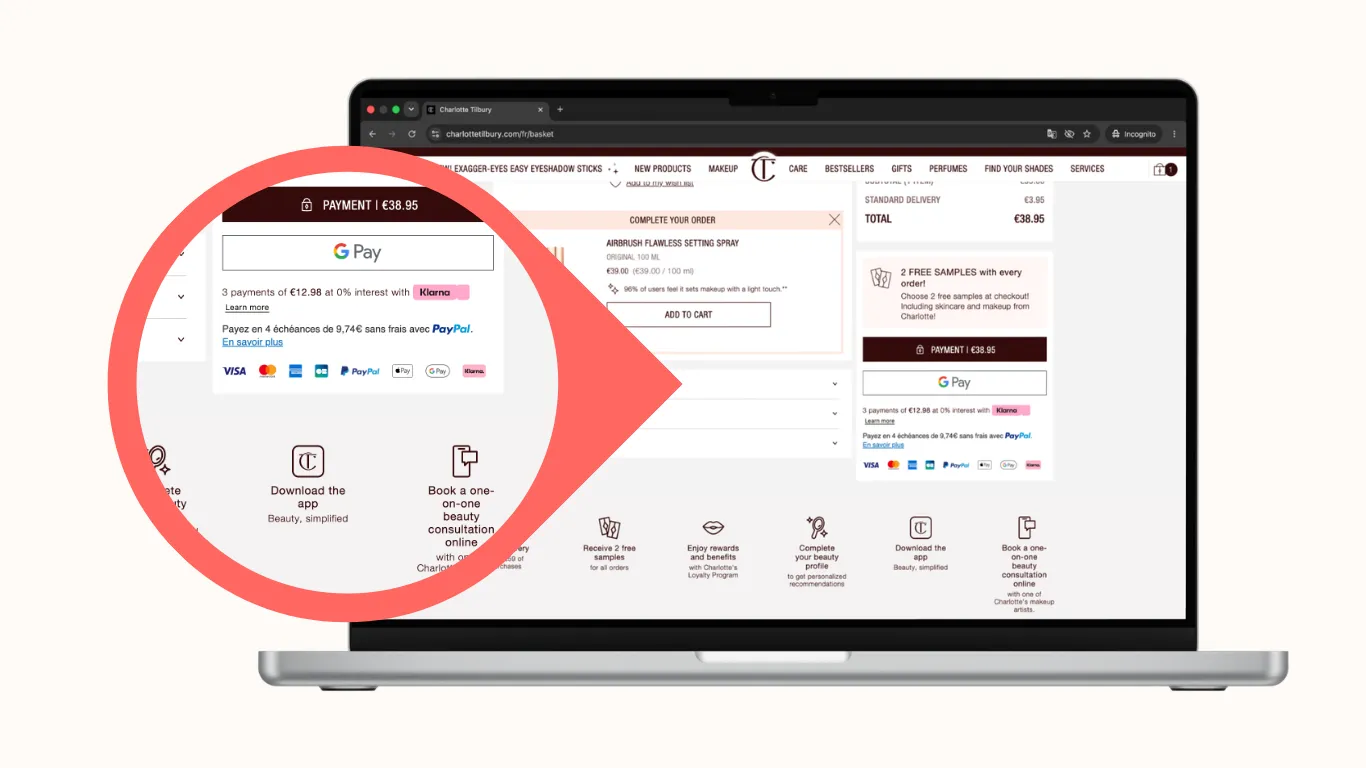
People often arrive at checkout with a preferred way to pay already in mind. If that option is missing, the flow feels less familiar and more inconvenient right at the last step.
The goal isn’t to add every payment method available. It’s to support the trusted options your audience expects and keep those options visible enough that buyers feel confident continuing.
8. Technical glitches interrupt the moment
Sometimes the site simply feels broken. A laggy button, a failed field, a broken script, or a payment error can wipe out the whole journey in seconds, even when the shopper was ready to buy.
This is why technical stability is part of conversion work, not separate from it. Test checkout across devices and browsers, watch for broken widgets or slow scripts, and remove anything that adds risk to the payment flow.
9. The cart page does not help the buyer move forward
The cart page is often treated like a holding area instead of a decision page. But if it doesn’t confirm value, reinforce trust, handle objections, and make the next step obvious, it can become another place where intent cools off.
A better cart page keeps the summary clear, shows the total logic early, reinforces delivery and returns, and points the shopper cleanly toward checkout. If the cart creates uncertainty, it’s contributing to abandonment instead of reducing it.
What to fix first
✅ For most SMB stores, the best order is simple:
- Show the full cost sooner
- Clarify delivery timing
- Reduce trust friction near payment
- Allow guest checkout
- Shorten the flow
- Test mobile checkout
- Support the right payment methods
- Remove technical blockers
- Make the cart page more decisive.
That sequence works because it starts with the most common reasons people leave and moves toward the design and technical details that make the checkout feel smooth. Conversions usually improve when the site asks the buyer to do less work, not more.
Related reading
Cart abandonment usually connects to broader conversion issues across the site, not just the last step. If you want the wider picture, read E-commerce Conversion Rate Optimization: A Plain-English Guide
Final takeaway
Cart abandonment isn’t just a checkout metric. It’s a signal that the site is creating hesitation right before revenue should land. The good news is that most of the common causes are fixable, and the fixes are usually more about removing friction than adding more features.
If your store is getting carts, but not enough completed orders, the next step isn’t more guesswork. It is a clearer view of what is blocking the final step.