Shopify Optimization Checklist for Growing Stores
By Emma Pugsley, Co-founder ·

When a Shopify store is just starting, almost any improvement helps. But once you’re scaling (more traffic, more SKUs, more apps, more orders), optimization stops being optional and becomes the difference between profitable growth and pouring money into a leaking funnel. If your store converts below 1.5%, adding more traffic just wastes spend, so fix the leak first.
Here’s a practical optimization checklist for growing Shopify stores, organised by what to fix in what order.
Know your numbers first
You can’t optimize what you don’t measure. Before touching anything, benchmark the four metrics that decide whether growth is healthy:
- Conversion rate: below 1.5% means fix the funnel before buying traffic
- Email capture rate: aim for 5–8% of visitors becoming subscribers
- Repeat purchase rate: below 15% within 90 days signals a product or post-purchase problem
- Unit economics: know your landed cost, shipping cost, and return rate so you know if growth is actually profitable.
Performance and speed
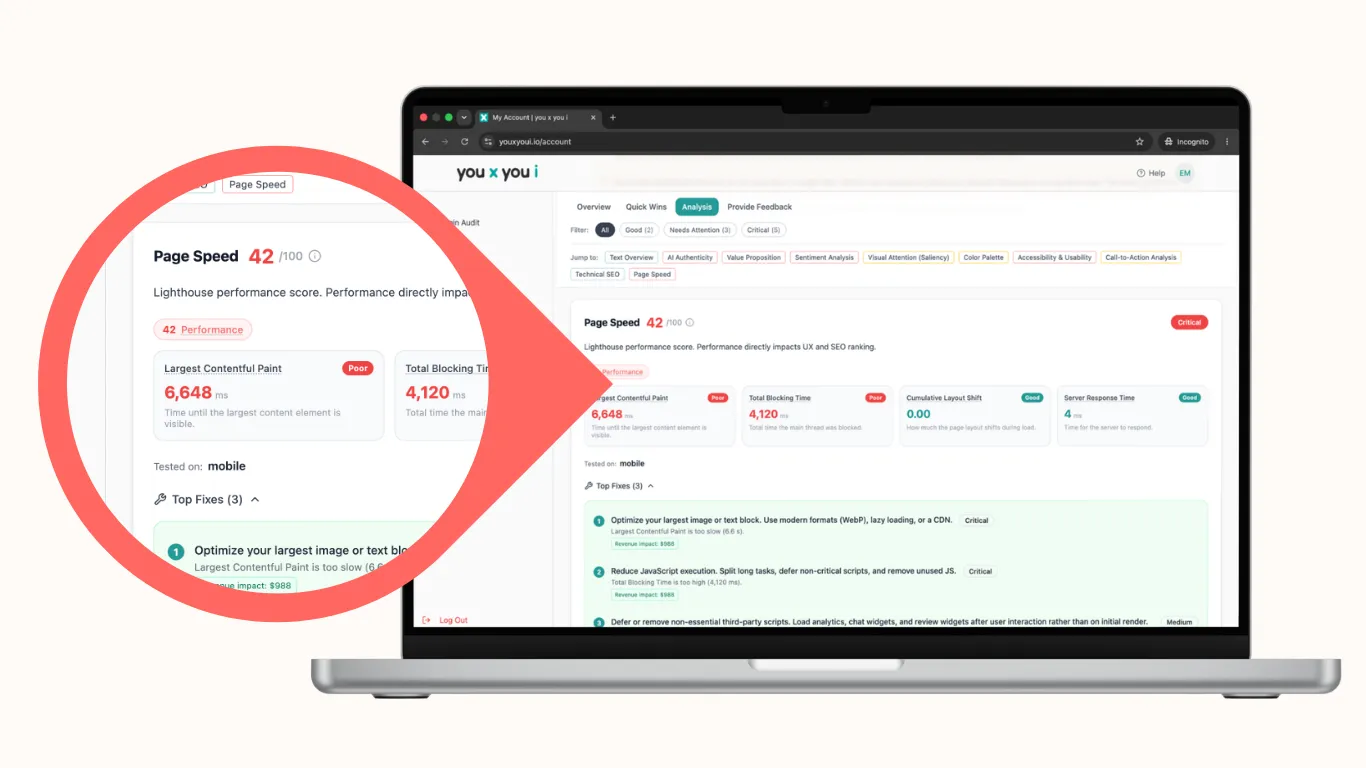
- Audit and remove unused apps. Every app injects scripts that slow your store; leftover code from uninstalled apps lingers too. Growing stores accumulate app bloat faster than any other kind
- Compress and properly size images. Serve WebP, lazy-load below-the-fold media, and defer non-critical scripts. You can use this free converter to get all your images into WebP format.
- Choose a performance-ready theme and serve assets from Shopify’s CDN
- Track Core Web Vitals (LCP under 2.5s, INP under 200ms, CLS under 0.1) as a recurring health check, not a one-off. You can do this with an audit from you x you i.
Conversion fundamentals
- Fix checkout friction. Allow guest checkout (~24% of people abandon if they’re forced to create an account before they complete a purchase), show a progress indicator, and keep trust badges near the pay button
- Strengthen product pages. Multi-angle imagery, reviews above the fold, prominent Add to Cart, foolproof variant selection with photos
- Make on-site search work with autocomplete, typo tolerance, and useful no-results pages. This is essential once your catalogue grows.
- Optimise for mobile-first, since that’s where most of your traffic and most of your friction lives.
Retention and lifecycle automation
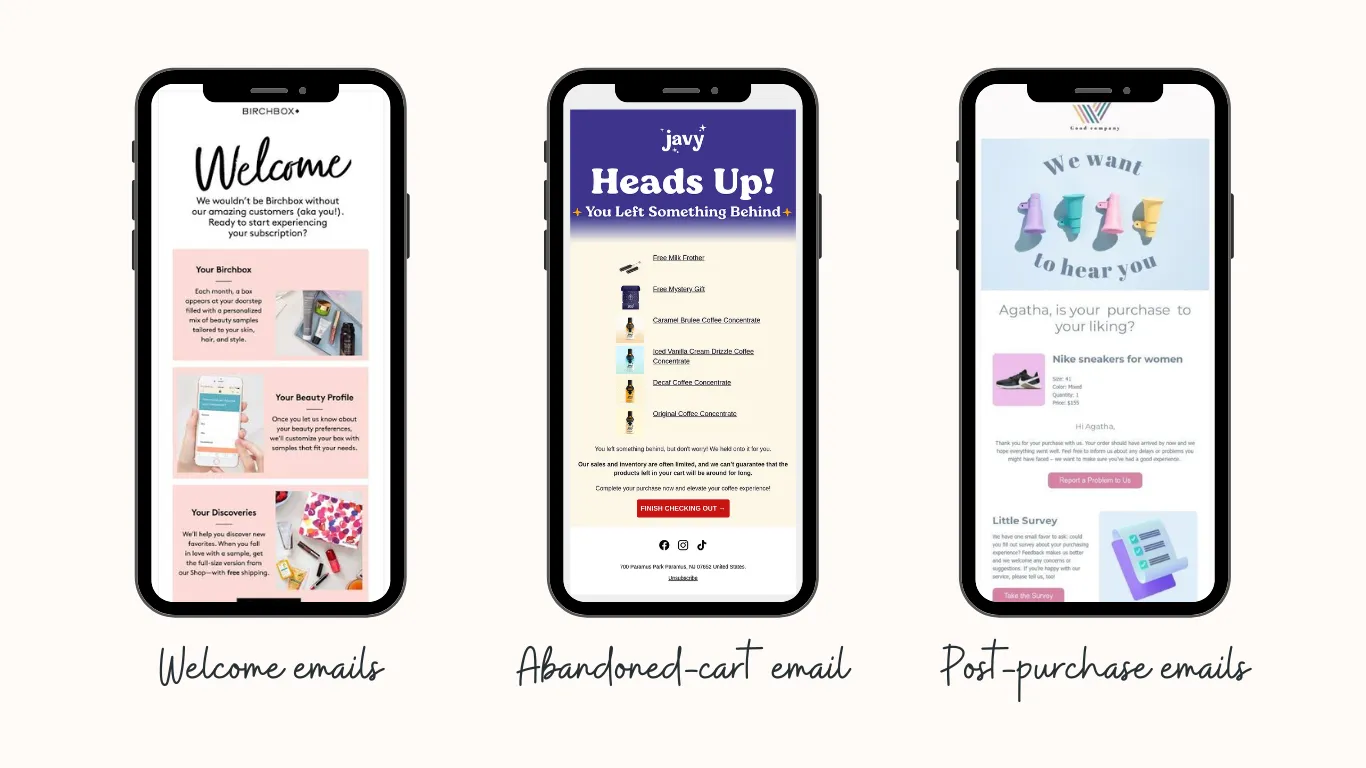
Growth that relies only on new customers is fragile. Before scaling acquisition, install the three flows every store needs:
- A 3-email welcome sequence (brand story, best-seller, first-purchase incentive)
- An abandoned-cart sequence (3 emails over 48 hours)
- A post-purchase email at day 7 with a review request and product recommendation.
To keep messaging relevant, segment your list: VIPs (top 20% by spend), active buyers (last 90 days), and lapsed customers.
Don’t scale a broken funnel
The most expensive mistake growing stores make is spending on paid ads before the funnel is ready. A 0.8% conversion rate paired with significant monthly ad spend actively destroys cash flow. Improve conversion first; then apply ad spend to a funnel that already works.
Operations and trust at scale
- Keep collection pages clean as your catalogue grows. Use sensible filters, sort by best-selling, clear categories, and search that surfaces the right products.
- Audit your trust signals regularly: reviews, secure-checkout badges, familiar payment methods, clear shipping and returns policies.
- Reduce visual noise. Growing stores stack pop-ups, banners, and widgets until the page fights itself. Keep one clear primary action per screen.
- Set a review cadence. Optimization isn’t a project you finish; it’s a quarterly habit. Re-run your speed, checkout, and metrics checks every few months.
Where to start
If you only do three things this quarter:
- Benchmark your four core metrics (Conversion rate, email capture rate, repeat purchase rate, and unit economics)
- Strip app bloat to fix speed
- Remove checkout friction.
Those release the most trapped revenue with the least effort, and they tell you whether you’re ready to scale acquisition at all.
Want a clear picture of which leaks are costing your growing store the most?
Run a site check-up, and we’ll benchmark your store and prioritise the fixes that pay off first.
Related reading: E-commerce Conversion Rate Optimization